

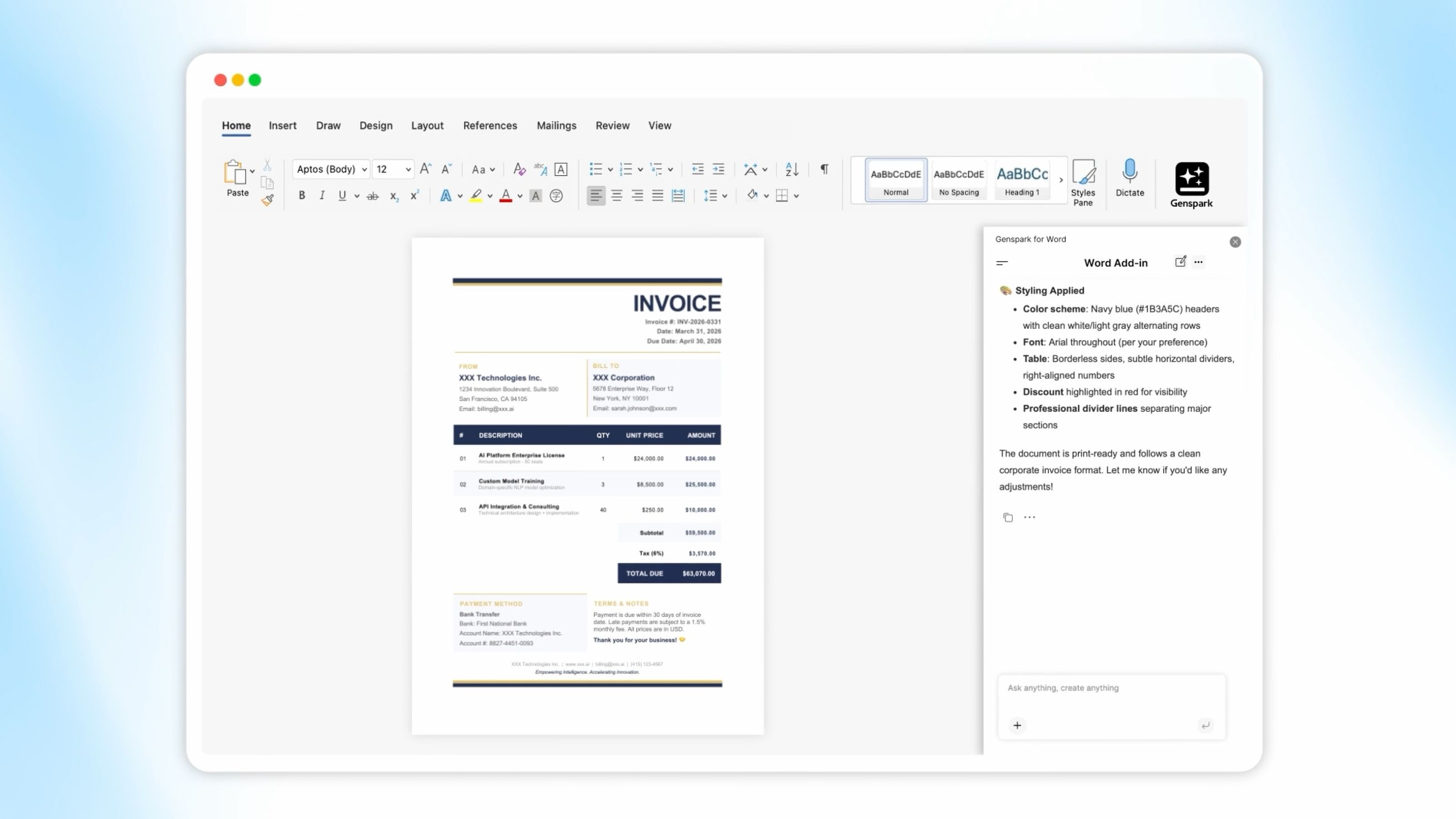
Genspark AI Workspace 4.0 brought its agents into desktop work, Microsoft Office and meetings. For someone editing a document, the most relevant part is the Word integration: the publisher describes editing and restructuring a document within Word. Its official announcement is dated April 8, 2026. Treat 4.0 as a named release whose capabilities you are investigating; check the current product before installing an add-in or choosing a plan.
What Genspark AI Workspace 4.0 means for a writer
For a practical writing task, begin with the document and the change you need. A proposal that needs a clearer opening calls for a different instruction from a meeting transcript that needs a summary. The workflow below uses an original fictional brief and manual edits so you can evaluate a draft with a repeatable checklist.
Choose the place where the document lives
Scroll to see all columns
| Starting material | Relevant published surface | Your editing decision |
|---|---|---|
| An existing Word document | Genspark's Word integration | Identify the section and the changes to preserve |
| Research across several websites | Desktop/browser assistance described in 4.0 | Save the source links and separate findings from prose |
| Meeting notes | Meeting features described in the announcement | Confirm who said what before distributing a summary |
This is a map of the publisher's described surfaces. Access, installation requirements and current plan conditions belong to the specific product you open. A brief statement of your goal is more useful than assuming that the release name guarantees every feature on your account.
Build a small source packet
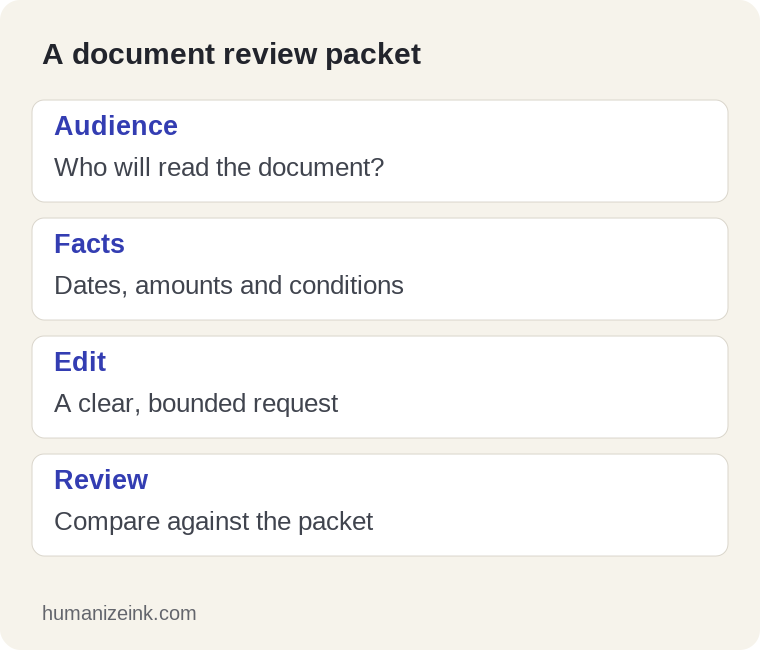
Put the facts beside the draft before requesting an edit. Include the audience, the decision the reader should make and any details whose wording carries legal, practical or scientific significance. A small packet makes reviewing the result much easier.
For this original exercise, use these fictional facts:
- Cedar Workshop is a proposed one-day writing session.
- The proposed date is June 14; the venue is still being confirmed.
- There are 12 places, and participants bring a draft of up to 500 words.
- The purpose of the email is to collect expressions of interest.
Write a one-sentence editing goal: “Make the invitation easy to scan, while keeping the date and venue tentative.” Notice how that goal identifies both the improvement and the conditions to preserve. Keep the packet available while you compare versions.
Give the editor a bounded instruction
A useful instruction names the passage, the audience, the desired change and the facts to retain. You can adapt this original prompt in a writing service you already use:
Edit the invitation below for people considering a writing workshop.
Make the opening direct and arrange the practical details clearly.
Keep June 14 as a proposed date and the venue as unconfirmed.
Keep the capacity of 12 and the draft limit of 500 words.
End by asking readers to express interest.
Return the revised invitation, followed by questions about missing facts.
Add the source packet and your own draft. That final request for questions gives the editor a productive way to handle missing information. If the venue is absent, a useful next step is to ask for it; a plausible-sounding invented venue would change the invitation.
A narrow pass for the opening
When the document is long, edit one section first. Ask for a clearer opening paragraph while retaining the rest of the document. Review the result before applying the same direction elsewhere. This keeps the task understandable and makes it easier to identify which instruction produced a useful change.
A separate pass for structure
Once the facts read correctly, consider headings, paragraph order and lists. Group the date, capacity and preparation requirement together. A document can become easier to read through organization even when much of its wording stays the same.
Compare a manual example against the packet
This is an original manual editing illustration. Read the revision against the packet: the date remains proposed, the venue remains open, capacity stays 12 and the preparation limit stays 500 words. The opening becomes an invitation rather than a long announcement about an intention.
 Original manual example
A clearer invitation, with its conditions intact
Draft
We are delighted to be exploring the possibility of a Cedar Workshop session, which it is hoped will take place on June 14 at a venue to be confirmed, and those wishing to attend should note that there are 12 places and that a draft of up to 500 words should be brought.
Manual revision
Interested in Cedar Workshop? We are proposing a one-day writing session on June 14; the venue is still being confirmed. There are 12 places. Bring a draft of up to 500 words, and reply to express your interest.
- June 14 remains proposed; the venue is still being confirmed.
- 12 places and a 500-word preparation limit remain unchanged.
humanizeink.com
Review changes in the original document
Check meaningful details before polishing individual adjectives. Inspect names, dates, amounts, quotations and statements of certainty. Then check whether a list, heading or citation marker has moved. Keep the source document available so the final wording remains connected to its context.
For an English passage, you can use Humanize Ink's English editor for a separate rewrite, local changes view and final editing. Its current free availability is limited to 3 attempts an hour and 10 a day per network, with a shared limit. The formatting guide explains how to transfer reviewed wording back into a document while checking its structure.
Use the word frequency counter if repeated words are your next concern. Counting repetition answers a different question from checking facts: a smaller count can indicate a wording change, while the source packet tells you whether the meaning stayed intact.
Keep a short acceptance note
Before sharing the invitation, record what you checked: “Tentative date retained; venue unresolved; 12 places; 500-word preparation limit; interest request present.” That note gives a colleague a useful review trail. It also tells you which question remains open before the email can become a final confirmed invitation.
Frequently asked questions
When was Genspark AI Workspace 4.0 announced?
The official announcement is dated April 8, 2026. This guide examines that named release and its writing surfaces; check the current product for present access and plan conditions.
Which part of 4.0 is most relevant to editing in Word?
The publisher describes a Word integration for editing and restructuring documents. Start with the section you need to change and a list of facts to preserve.
What should I include in a document-editing prompt?
Specify the reader, the passage, the desired change and the details that must remain accurate. Ask questions about missing information so it can be resolved before distribution.
How can I check whether an edit preserved the meaning?
Compare dates, names, amounts, quotations, uncertainty and the final request against your source packet. Then check the paragraph in its document context.
Was the invitation example generated by Genspark?
It is an original manual example for the fictional Cedar Workshop brief. It demonstrates the review method and is distinct from the publisher’s product illustration.
Can I use Humanize Ink for the final English passage?
Yes, within the current network and shared availability limits. Compare the result with your original, edit locally and check the facts before copying the final wording.