

To turn AI text into human text, make the message specific to its reader: say what happened, what the reader should do and which facts or conditions must stay exact. Then edit the wording and compare both versions before using the result.
A good revision can sound natural while keeping uncertainty and necessary technical terms. The worked example below uses an original fictional workshop notice and a manually authored edit. You can follow every step in your own document, with optional English language revision in the existing Humanize Ink editor.
Give the draft one reader and one purpose
Before changing words, finish this sentence: “After reading this, the reader should know or do ___.” A workshop notice may need a confirmation; an explanation may need the reader to understand a distinction. The purpose tells you what deserves the first sentence and what can move later.
Write for the actual reader’s level of knowledge. A familiar team can understand a short reference to a room or process. A first-time visitor may need the address, a deadline or a clear next step. Digital.gov’s plain-language guidance places the specific audience at the center of clear communication.
This also helps you spot generic filler. A sentence earns its space when it explains a fact, connects an idea or makes an action easier. Keep useful context; shorten a phrase when it delays the message without adding meaning.
Build a small fact checklist
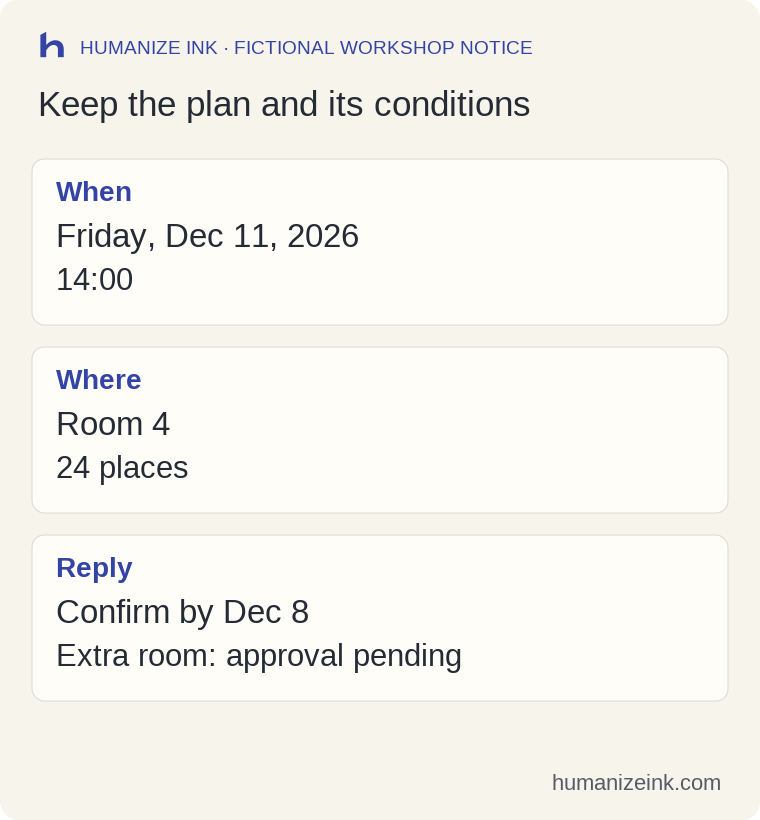
Use these original fictional facts for the example:
- The workshop is on Friday, December 11, 2026, at 14:00.
- It takes place in Room 4 and has 24 places.
- Readers should confirm attendance by December 8.
- An additional room is still awaiting approval.
Keep that list beside the draft. These details are the acceptance criteria for the edit. A smoother sentence that changes the date, upgrades a pending room to a promise or implies unlimited places needs correction.
For your own work, include names, quotations, source references, costs and conditions when they matter. Use only details you know. Mark missing information so you can ask for it rather than filling the gap with a plausible guess.
Read the whole draft before rewriting
Original draft: “We are writing to provide an update regarding the upcoming workshop. The workshop is scheduled for Friday, December 11, 2026, at 14:00 in Room 4. There are 24 places for the workshop. Please provide confirmation of your attendance by December 8. We are currently awaiting approval for an additional room.”
The facts are usable, but the opening postpones the event information. The word workshop repeats where a pronoun or a simpler construction could carry the reference. The last sentence contains a real condition and should remain clear.
Manual edit: “Join the workshop on Friday, December 11, 2026, at 14:00 in Room 4. We have 24 places. Please confirm your attendance by December 8. An additional room is still awaiting approval.”
The revised notice leads with the event, gives the reader a direct action and keeps the pending approval. This original manual edit illustrates those choices.
 Original manual example
Lead with the event and preserve the condition
Original opening and closing
We are writing to provide an update regarding the upcoming workshop. We are currently awaiting approval for an additional room.
Manual opening and closing
Join the workshop on Friday, December 11, 2026, at 14:00 in Room 4. An additional room is still awaiting approval.
- The action is easier to find.
- Pending approval remains pending.
humanizeink.com
Make a controlled language pass
If you want wording alternatives, open the English rewriting editor and paste a shareable excerpt. Avoid sensitive information. Begin with Light strength when you want a close revision, or use Balanced when the paragraph needs more rephrasing. Choose a tone appropriate to the reader.
The editor accepts up to 1,200 words and 8,000 characters, including an active custom-style sample. The live free allowance is up to 3 attempts an hour and 10 a day per network, subject to shared availability. Read the current limits before planning a longer session.
Use your own style sample deliberately
A short paragraph you wrote can help guide sentence rhythm and formality. Use text you have permission to share, and keep it relevant to the kind of message you are editing. Your draft and active sample share the input limit. A style preference still needs the final fact check.
For a team email with a reply deadline, the free work-email walkthrough pairs a complete request with a manual edit and a check of its tentative dates.
Inspect changes before keeping them
Use Changes to compare the original and result. Read additions and removals as sentences, not isolated colored words. A sentence can retain a date while changing who is responsible for an action, so check relationships as well as visible numbers.
Review the result in your own document
Return to the checklist: December 11, 14:00, Room 4, 24 places, December 8 and a pending room approval. Confirm each item against the final text. Then read the notice once as a visitor: can you find the event and the action quickly?
For repetition, open the word frequency counter, enable the edited-version comparison and paste both versions. Select Compare text. The counts describe written words; the surrounding paragraph determines whether repetition helps clarity. Keep a repeated name when a pronoun would be ambiguous.
Edit the result locally when needed and copy the final version into its real destination. Check the layout there, especially lists and headings. The formatting guide covers that final pass.
Handle an interrupted or unavailable attempt
Keep your original draft and any earlier useful result. Read the visible status before taking another action. If the page shows a wait time, wait until it has passed. After an interruption, read the status before submitting again. If it says the outcome is uncertain, keep your draft and continue editing in your own document while you wait. A result marked Previous result belongs to the earlier request.
You can continue the manual workflow in your own document while availability is limited. The useful outcome is a clear message that retains its facts and fits its reader. An AI detector score is a different claim and is not the acceptance criterion used in this guide.
Frequently asked questions
What is the first step when turning AI text into human text?
Name the reader and the action or understanding the message should support. Then list the facts and conditions that the edit must preserve.
Should I replace every formal word?
Keep precise terms when they help the reader. Revise wording that obscures the action or adds unnecessary distance, using the whole sentence as context.
How can I check whether the meaning changed?
Compare names, numbers, dates, conditions and who performs each action. Use the original source facts rather than relying only on highlighted word changes.
Can I use the English editor for free?
The live tool offers limited attempts per network, subject to shared availability. The current limits are linked in the guide.
How should I edit a long draft?
Work in short sections while keeping the full argument and references in your original document. Stay within the 1,200-word and 8,000-character combined input limit.
What should I check after shortening a notice?
Check the event, time, place, capacity, reply deadline and any pending approval against your original notes. Read the notice as a visitor to make sure the next action remains clear.