

An AI human writer can help you turn notes into a draft or revise writing you already have. For a free workflow, first decide which of those jobs you need. Then check the tool's actual allowance and keep control of the facts, voice and final edit. A writing assistant can suggest language; you supply the experience and judgment that make it yours.
For an empty page, use a tool that explicitly supports drafting from a brief. For an existing English passage, a rewriter such as Humanize Ink lets you try alternative wording and review the differences. The workflow below covers both situations, with a short original email example you can adapt.
Choose the kind of help you need
Scroll to see all columns
| Starting point | Useful tool type | What you should provide |
|---|---|---|
| A few notes and no sentences | Drafting assistant | Audience, purpose, verified facts and the action you want. |
| A complete but stiff paragraph | Rewriter or humanizer | Your original text and the tone you need. |
| Writing that already sounds right | Local checks and a final read | The two drafts if you want to compare repetition or word choice. |
Grammarly's AI writing assistant describes help with ideas, outlines and drafts, alongside rewriting. Its support page on prompt limits currently lists 100 generative AI prompts per month for the Free plan. That is a prompt allowance, not a promise of 100 finished articles or a limit on every separate Grammarly feature. An account is involved, and the account's remaining allowance and refill information are the relevant checks before starting a long project.
Humanize Ink works from an existing English draft. You can choose Natural, Professional or Casual tone, set rewrite strength and readability, compare changes, and edit the result locally before copying. It has no account requirement. Free access is limited to 3 attempts an hour and 10 a day per network, within a shared site-wide allowance of 100 attempts per UTC day and available capacity; input must also fit within 1,200 words, 8,000 characters and 16,000 UTF-8 bytes. See the complete current limits, including how failed or unconfirmed attempts can count.
These are published features and usage conditions checked on November 9, 2026. Choose a drafting assistant when you need sentences from notes; choose a rewriter when you have wording to revise.
Turn notes into a useful writing brief
A vague instruction such as “write a human email” gives little direction. Supply the facts and the relationship instead. For a routine update, you might prepare these notes:
- Audience: a colleague waiting for my comments.
- Purpose: tell them when to expect the comments.
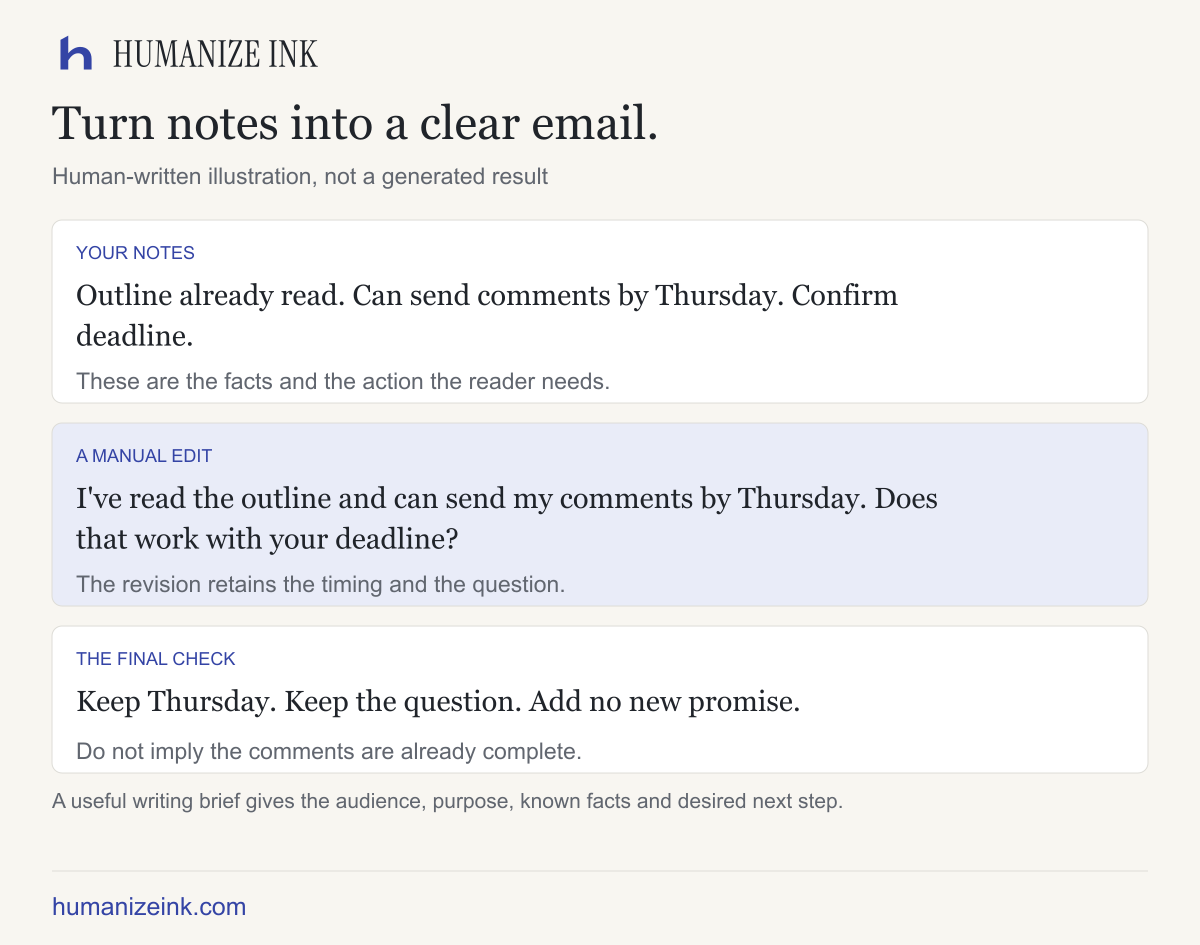
- Facts: I read the outline; I can send comments by Thursday; I need confirmation of the deadline.
- Voice: friendly, direct, no long introduction.
- Length: one short paragraph.
If you use a drafting assistant, give it only details you can share and ask it to use only those facts. Leave unknown names, dates or amounts as fields to fill, rather than inviting plausible inventions.
A usable brief could be: “Draft a short, friendly email from these notes. Say I have read the outline and can send comments by Thursday. Ask the recipient to confirm the deadline. Do not add a reason for the timing or make any other commitment.”
A before-and-after writing example
Here is a human-written editing example:
I am writing to let you know that I have had a chance to read the outline, and I would be able to send you my comments by Thursday. Please let me know whether that works with the deadline you have in mind.
A possible manual edit is:
I've read the outline and can send my comments by Thursday. Does that work with your deadline?
The edit removes a ceremonial opening and keeps the read status, Thursday commitment and deadline question. It does not say the comments are already complete or explain why they will arrive on Thursday. That distinction is what you should look for when reviewing an assisted rewrite too.
Use tone and strength deliberately
Start with the setting that fits the reader. Natural suits an ordinary update; Professional can help with a formal audience; Casual may fit a familiar colleague. A tone label is an instruction, not evidence that the final text suits your relationship. Read the result aloud before sending it.
Use a lighter rewrite when the original is nearly right. If you ask for a stronger rewrite, inspect sentence structure and emphasis more closely. A change in readability should simplify the expression, not remove a condition that the reader needs. If the tool offers a custom style sample, use text you own and are comfortable sharing. An example of your voice can guide a request, but it cannot guarantee an exact imitation.
Keep the final edit yours
After a rewrite, compare both versions. Check names, dates, numbers and every promise. Restore any phrase that carries useful personality. Replace empty adjectives with details you actually have. Keep direct quotations exact and make sure citation markers still belong to the same statements.
If you are unsure whether an edit is better, keep the clearer original. A paragraph does not need a dramatic transformation to be ready. You can use the local word frequency counter to compare repeated words in two drafts; its counts describe repetition, not writing quality or factual accuracy.
What should you check before using a free writer?
Privacy. Cloud writing tools can process text through outside providers. Humanize Ink's rewriting requests are sent to a third party; read its privacy details and avoid sensitive information.
Allowance. Check the actual unit: prompts, requests, words and characters are different measures. A free monthly prompt allowance may run out after several rounds of revision. A per-request limit says nothing about uninterrupted availability.
Permission. Follow the rules for your workplace, client or course. Use writing you are entitled to share, acknowledge AI assistance when required, and do not present invented experience as your own.
Accuracy. A natural-sounding paragraph can still contain an incorrect fact. A humanizer or detector score cannot substitute for reviewing the original and checking sources.
Start with a paragraph you already understand
If you have an English draft, open the Humanize Ink editor and try one non-sensitive paragraph. Choose the tone, compare the result, and make the final changes yourself. If you are starting from notes, write the brief first: a useful free AI human writer workflow begins with a clear task and facts you can stand behind.
Sources checked on November 9, 2026
- Grammarly AI writing assistant: its documented drafting and rewriting tasks.
- Grammarly prompt allowance: free monthly prompt limit and account-based refill conditions.
- Humanize Ink limits and privacy: our rewriting workflow. We operate Humanize Ink; the email example is a manual edit.
If you are choosing among rewriting tools, see free AI humanizers compared. If your draft repeats empty phrases, use the Unslop editing guide.