


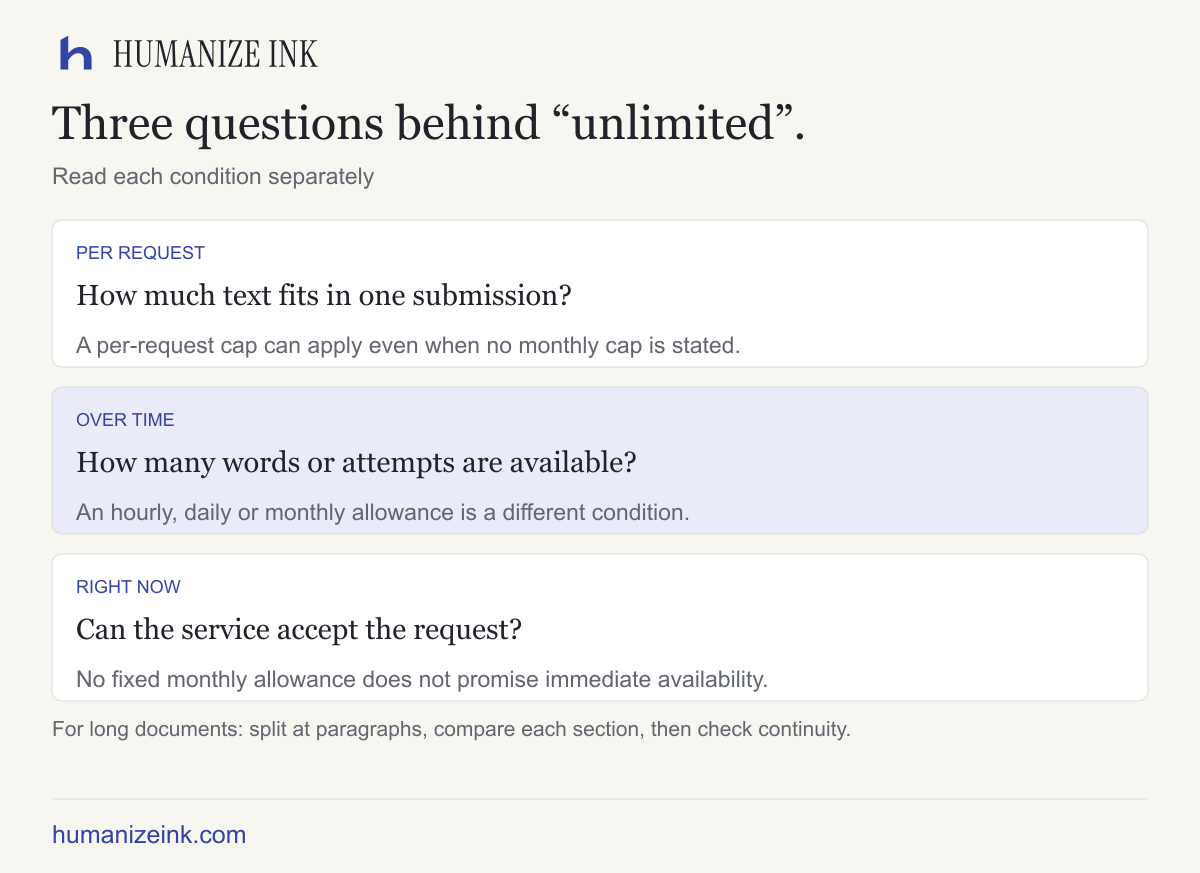
If you are looking for an AI-to-human tool that is free with unlimited words, check three different things: the size of each request, the allowance over time and whether capacity is available when you need it. A site can offer no fixed monthly word allowance while still limiting a single submission or pausing when demand is high.
For a long document, the practical approach is to split it at natural paragraph boundaries, keep the original, and check each result before merging it back into your document. Avoid sensitive material unless you have permission and understand the provider's privacy terms.
Unlimited monthly words and unlimited words per request are different
A per-request limit is the maximum you can submit in one operation. A monthly allowance is the total usage available within a billing period. A capacity restriction can interrupt requests even when no fixed monthly allowance is published. A free tier may also have per-network or daily attempt limits. The largest number on a pricing page does not describe all four.
For example, Clever AI Humanizer at cleverhumanizer.ai says it accepts up to 3,000 words per request and has no fixed monthly word allowance, subject to availability. That is the provider's published condition, not a guarantee of uninterrupted unlimited processing. Check its current terms before relying on it for a deadline; similarly named sites on other domains may be different services.
Humanize Ink's English rewriter offers up to 1,200 words per input, with additional limits of 8,000 characters and 16,000 UTF-8 bytes. The free allowance is up to 3 attempts an hour and 10 a day per network, within a shared site-wide allowance of 100 attempts per UTC day and available capacity. Failed or unconfirmed attempts can count. See current limits. It is therefore not an unlimited-word service.
Plan the work before spending your allowance
Suppose you have a 2,400-word draft. A 1,200-word input cap implies a minimum of two submissions by word count alone. In practice you may need more: paragraph boundaries, character limits and byte limits can make a section too large even when its word count fits. Do not cut off the final line just to satisfy a counter.
If both sections produce results, a further revision of either section is another attempt. That matters on a service with an hourly request allowance. Leave time to read and correct the first result rather than immediately rerunning the entire draft. If the service reports a failed or unknown result, consult its actual attempt-counting rules before assuming that attempt is available again.
For a report, keep a small document checklist: section order, consistent terminology, names, amounts and every citation marker. When you merge sections back together, read the last paragraph of one section with the first paragraph of the next. A locally smooth rewrite can still create a repeated explanation or break a reference to “the following example.”
How to prepare a long draft
- Save the source. Work on a copy so you can restore a sentence, quote or formatting.
- Split at complete paragraphs. Avoid cutting a sentence, quotation or footnote away from the claim it qualifies. Keep headings with the section they introduce when useful.
- Stay below every stated limit. Word, character and byte limits are separate; accented letters and other characters may use more than one byte in UTF-8. If a provider does not publish one of these limits, do not assume it has none.
- Rewrite one section at a time. Use consistent settings and check each output against its input before moving on. If the service reports limited capacity, follow its actual instructions; do not assume a reset time.
- Reassemble and read across boundaries. Check transitions, repeated definitions, pronoun references and the order of paragraphs. Restore lists or headings in the source document as necessary.
- Verify the details. Recheck dates, amounts, names, quotations, citation markers, exclusions and uncertainty against the original and source material.
Manual editing example: a shipping exclusion
Original: “The estimate is $240, excluding shipping.” A faithful edit must retain that amount, that it is an estimate, and that shipping is excluded. The original does not say shipping was itemized separately or that an order was fulfilled. Do not insert either detail when editing.
Privacy and quality still matter
Long documents often include client details, correspondence or unpublished work. Removing a name may not make a document non-sensitive. Check who processes the text and what retention or training terms apply. Humanize Ink sends rewriting requests to a third party; its privacy policy gives the details. Avoid sensitive information and obtain permission before sharing another person's work.
No rewriting tool can promise that every fact or formatting detail survives. Detector scores do not verify meaning. If the writing is for a school, employer or client, follow the relevant rules on AI assistance and disclosure.
Frequently asked questions
Does no monthly cap mean no per-request cap? No. Check the provider's own current terms for both.
Can I combine several rewritten sections? Yes, but review transitions and references across the boundaries; the sections were processed separately.
Can a provider guarantee immediate processing? Only rely on a stated commitment. A free page's availability wording is not a service-level guarantee.
Where should I begin? Try one non-sensitive English paragraph in the Humanize Ink rewriter, then compare the result with the source before working through a longer document.
Sources and related guides
Checked November 9, 2026: Clever's published request limit and allowance, its availability terms, and Humanize Ink's current limits. For document layout, read how to keep formatting when editing. For selecting a service, see the free-humanizer comparison.