


Looking for Clever AI Humanizer? This guide covers the product at cleverhumanizer.ai, whose terms identify CleverFiles Inc. as the provider. Its public page describes free rewriting with up to 3,000 words per request, two writing styles and no fixed monthly word allowance, subject to service availability. You can use the humanizer without an account; an optional account adds history.
The useful decision is whether those conditions fit your text and whether you accept the data-handling terms. Humanize Ink, which also offers an English rewriter, publishes this guide using Clever's product pages, terms and privacy policy checked on November 9, 2026. The comparison covers published features and conditions, rather than newly measured output quality.
Check the domain before comparing products
Several websites use similar versions of the name. A feature or price found for one domain should not automatically be attributed to another. This article's links go to cleverhumanizer.ai, not to every site called Clever AI Humanizer.
That matters when you read a review saying the product is free while another lists paid plans. They may refer to different services, or to different dates. The terms for the domain covered here identify CleverFiles Inc. and say the service is currently offered free of charge. They also allow features and usage limits to change and do not promise availability at a particular time. Check the site itself before making a decision based on an older review.
What the humanizer offers
Scroll to see all columns
| Item | What the vendor publishes | What it means for your workflow |
|---|---|---|
| Input | Up to 3,000 words per request | Divide a longer document into sections before submitting it. |
| Recurring allowance | No fixed monthly word allowance; subject to availability | This does not guarantee that every request will be accepted immediately. |
| Styles | Normal and Clear & Structured | Choose for the kind of passage; still review the actual output. |
| Languages | English, Spanish and Portuguese | Confirm that your passage is in a supported language. |
| Account | Guest use; optional account with history | Choose after reading how guest and account records are handled. |
| Review controls | Show changes and Copy Text appear in the interface | A difference view helps you inspect edits; it does not verify facts. |
The homepage is the source for these capabilities. It also links to separate detector, paraphraser and grammar tools. A claim about one of those tools does not establish the performance of the humanizer. Likewise, a polished sample or a testimonial is not a controlled comparison using your text.
Which writing style should you start with?
The vendor describes Normal for material such as blog posts and product descriptions, and Clear & Structured for reports and summaries. Treat those descriptions as a starting point. A report still needs its qualifications, and a friendly product description still needs accurate specifications.
For a short everyday paragraph, begin with the style that matches your reader. For structured prose, keep a source copy open and check paragraph order as well as wording. If you compare styles, use the same input and record which option produced each result. Do not assume that more changes mean a better edit.
A careful first-use workflow
- Open the exact domain and read its current terms and privacy notice before entering material.
- Prepare a short passage that you have permission to share. Keep sensitive or confidential content out.
- Check the passage against the stated input limit. Avoid separating a quote or citation from the statement it supports.
- Select the appropriate style, submit once, and wait for the service's actual status. Follow any explicit limit message; an allowance description does not promise a recovery time.
- Compare the result with the original. Inspect names, figures, uncertainty, exclusions, quotations and citation markers.
- Make the final edit before copying it into your document. Check formatting in the destination too.
If you need a quality verdict, test a passage relevant to your task and retain the actual output for comparison.
What privacy conditions deserve attention?
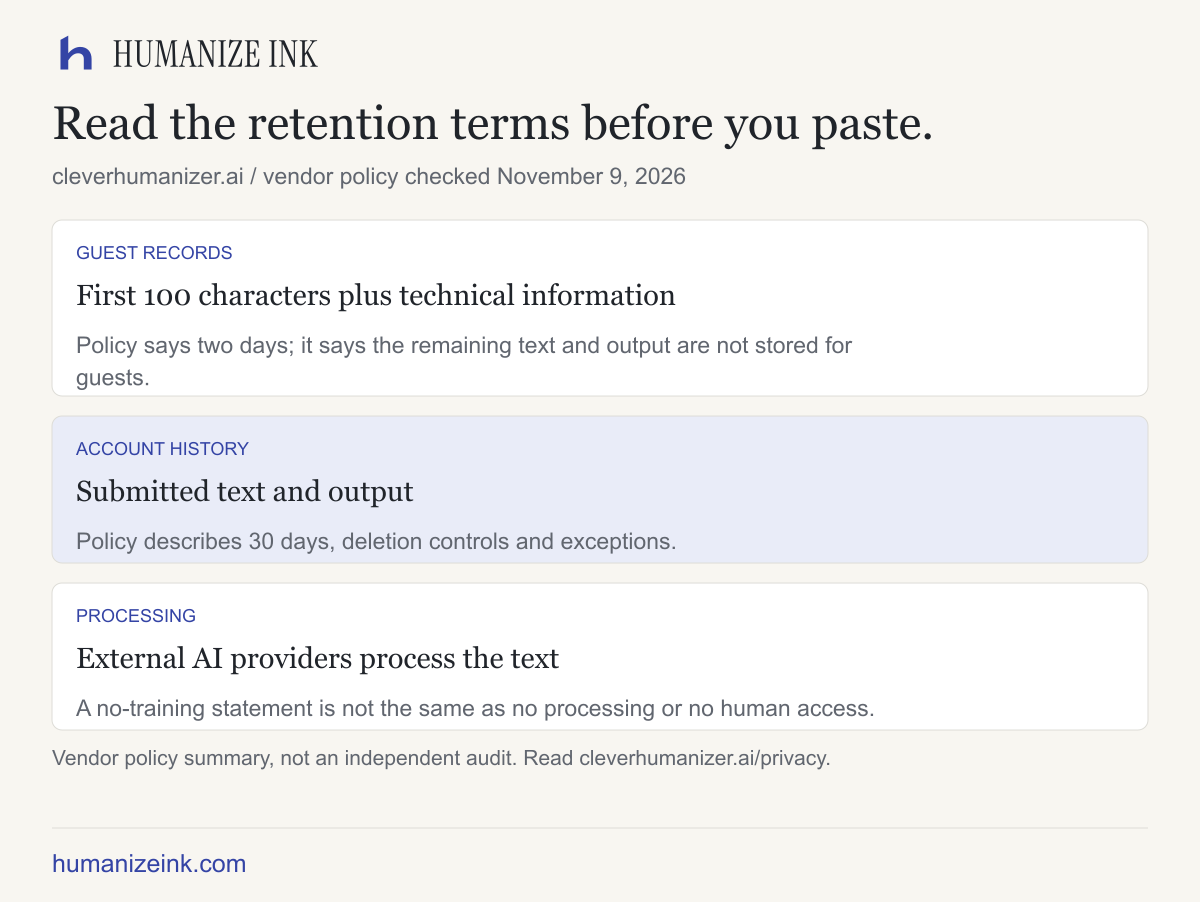
The privacy policy says submitted text is processed by external AI providers. For guest use, it describes retaining the first 100 characters with technical information for two days, rather than retaining the rest of the text or result. For account history, it describes a 30-day retention period, with stated deletion controls and exceptions. It also permits staff access for defined quality-check purposes and states that content is not used for model training or fine-tuning.
These are the vendor's policy commitments, not an independent audit. Read the full current policy, including its exceptions, before relying on a summary. A no-training statement is not the same thing as no processing, no storage or no human access. The policy asks users not to submit confidential or sensitive material.
Does free mean unlimited?
No fixed monthly word allowance is a specific recurring-usage condition. It does not remove the 3,000-word limit for one request or the availability qualification. The terms say usage limits can be introduced or adjusted. If you need a guaranteed turnaround for a deadline, the public free-access wording is not a service-level commitment.
Also distinguish the optional account's history from an additional word allowance. The homepage says an account provides history, not extra free words. Avoid creating an account simply because an unrelated review says it increases a limit; check the current domain's own explanation.
How does it compare with Humanize Ink?
For a non-sensitive passage longer than Humanize Ink's input limit, Clever's published 3,000-word request size may fit the input better. That is a size comparison, not evidence of superior rewriting quality. Humanize Ink accepts up to 1,200 words, subject to its character, byte and attempt limits, and focuses on English rewriting with tone, strength and readability settings, comparison and local editing.
If you want those controls, open Humanize Ink. Its own limits and privacy policy apply: rewriting is sent to a third party and availability is limited. Both workflows require you to check the final text. No current side-by-side quality winner is established by this article.
Before you copy a result
Keep the original beside the revision. If a source says an item was tested, ensure the rewrite has not called it a public launch. If it says an outcome may change, preserve that uncertainty. An output can be easy to read and still misstate what happened. Use the tool for editorial assistance, then make the final decision on meaning yourself.
Sources checked on November 9, 2026
- cleverhumanizer.ai: the specific product's controls, input size, free access and languages.
- CleverFiles terms: provider identity, current free offering, changes and availability.
- CleverFiles privacy policy: text processing, guest records, history and stated exceptions.
- Humanize Ink limits and privacy: the separate service discussed in the comparison.
For a structured way to review an actual output, see the accuracy checklist. This guide is not affiliated with or endorsed by CleverFiles.